Adjusting the sensitivity of motion sensor lights can significantly enhance their functionality. Many homeowners face challenges in this area. They might find that the lights are too sensitive or not sensitive enough. Understanding how to adjust the sensitivity of a motion sensor light is crucial for achieving the desired performance.
Setting the correct sensitivity ensures your lights activate only when needed. This helps to avoid unnecessary triggering from pets or passing cars. Manufacturers usually provide guidelines, but personal adjustments are often necessary. Each environment is unique, and what works for one may not work for another.
However, it’s important to note that adjusting sensitivity can be tricky. Some users may find they overshoot their goal and find themselves readjusting once again. A little patience and experimentation can go a long way. Addressing these quirks can lead to an effective lighting solution.
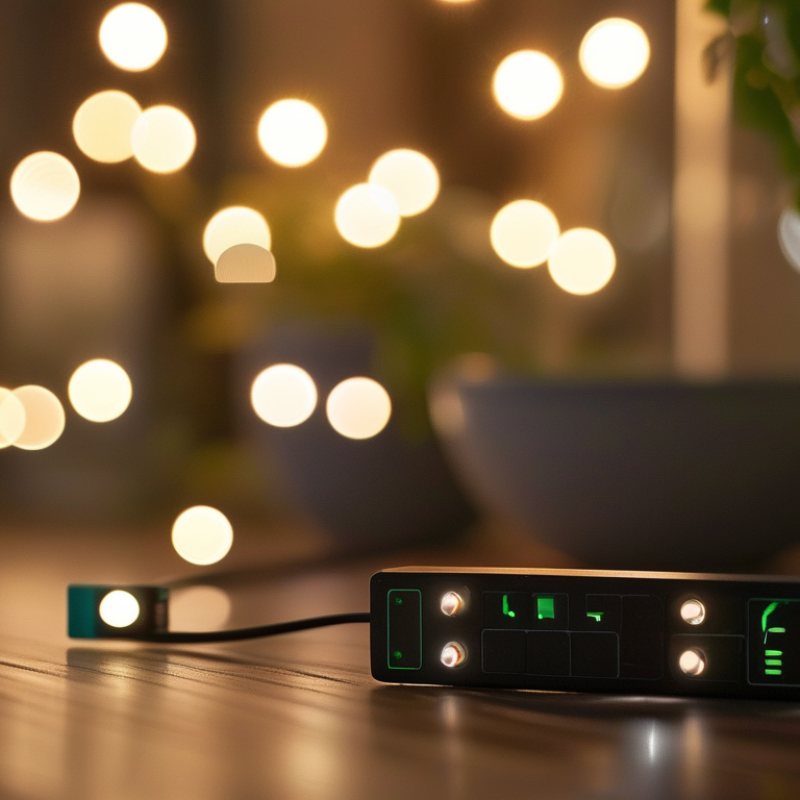
Understanding how motion sensor lights work can enhance their effectiveness. These devices utilize infrared technology to detect body heat. When a person approaches, the sensor triggers the light, providing illumination when it's needed most. This intelligent design minimizes unnecessary energy use.
Motion sensors have a range of settings. They can be adjusted for sensitivity and duration. However, users often struggle with these settings. Too high sensitivity may cause lights to trigger from small animals. Too low sensitivity can cause them to miss an approaching person entirely. Getting the balance right can be tricky.
Environmental conditions also affect functionality. Bright streetlights can confuse sensors. Rain, leaves, or snow might obstruct detection. Users need to observe how their lights respond in different situations. It takes patience and experimentation to fine-tune the settings effectively. Finding the right balance can lead to improved safety and convenience.
Adjusting the sensitivity of motion sensor lights can enhance their functionality significantly. Identifying the components that control this sensitivity is crucial for optimal performance. Typically, a dial or screw on the sensor body regulates sensitivity. Turning this dial can increase or decrease how sensitive the sensor is to movement.
When working with the sensitivity components, it's important to be cautious. Too much sensitivity can result in false triggers from pets or moving branches. Conversely, too little sensitivity may cause the light to ignore legitimate movements. Fine-tuning the adjustment can require several attempts. Don't hesitate to experiment with different settings until you find the right balance.
One tip is to observe the area where the sensor is installed. High-traffic zones may require higher sensitivity. Lesser-used areas may benefit from lower settings. Take note of how long the light stays on after detecting motion. This timing can also be adjusted and might complement the sensitivity setting. This careful calibration can lead to a far more efficient lighting experience.
| Adjustment Component | Function | Typical Range | Adjustment Method |
|---|---|---|---|
| Sensitivity Dial | Controls how sensitive the sensor is to motion | Low to High | Turn clockwise to increase, counterclockwise to decrease |
| Time Delay Setting | Determines how long the light stays on after activation | 10 seconds to 10 minutes | Adjust using the timer button |
| Motion Detection Zone | Controls the area in which motion is detected | Adjustable based on model | Set using the directional lens or sensor adjustment |
| Day/Night Sensor | Determines if the light should be active based on ambient light | Threshold varies by device | Toggle switch or adjustment screw |
Adjusting the sensitivity of your motion sensor light can greatly enhance your home’s security. Too sensitive? It may trigger unexpectedly, causing unnecessary stress. Not sensitive enough? You might miss important movements. Finding the right balance is essential.
Start by locating the sensitivity adjustment dial. This is often found on the back or side of the sensor. Use a small screwdriver to turn the dial. A clockwise rotation usually increases sensitivity. Test the light by moving within its range. Watch closely: does it activate as expected? Repeat this step, fine-tuning until you’re satisfied.
Consider environmental factors. External light sources like street lamps can influence your sensor's performance. If the light activates during daylight, sensitivity may need adjusting. Reflect on your adjustments. Is the light responsive without being overly sensitive? Finding ideal sensitivity might take time and patience, but the right settings will improve overall effectiveness.
Adjusting the sensitivity of motion sensor lights can have a significant impact on their performance. Proper testing ensures that the sensors detect movement effectively. Begin by locating the sensitivity adjustment dial. This dial often ranges from low to high. Use a small tool or your fingers to make adjustments. Start with medium sensitivity.
Once you’ve made an adjustment, conduct a test. Walk at varying distances from the light. Note how far away the light activates. If it doesn’t activate at a desired distance, increase the sensitivity gradually. Conversely, if it senses too easily, lower it.
Keep in mind the environment around the sensor. Heat sources and moving branches can trigger false alerts. Reflect on any changes in the surrounding area that might affect performance. Observe the impact of these adjustments over a week. This hands-on approach can help in fine-tuning the sensor settings to your needs. Always remember, small tweaks can lead to better results.
When adjusting the sensitivity of motion sensor lights, several common issues can arise. One frequent problem is lights that activate without cause. This can be frustrating, especially at night. If the sensor is too sensitive, consider recalibrating it. Lower the sensitivity setting to reduce false triggers. Often, nearby objects or trees can cause interference. A good practice is to clear unnecessary obstacles around the sensor.
Another issue is lights that fail to activate at all. Check if the sensor is aimed correctly. Sometimes, misalignment can prevent it from detecting motion. Make sure the area is well-lit, as darkness can affect performance. If the problem persists, inspect the power supply. A weak or damaged connection can lead to unreliable functionality. Regular maintenance can help keep the sensor in good shape.
Emphasizing regular checks can prevent future complications. Understanding your motion sensor's environment is crucial. Each space is unique, and adjustments may vary accordingly. Spend a little time experimenting with settings. It may take several attempts to achieve the desired performance. Don't hesitate to ask for professional help if needed. Ultimately, the goal is to balance sensitivity and reliability for optimal use.
This chart displays the distribution of motion sensor light sensitivity settings used by users. The majority of users prefer a medium sensitivity level, with fewer users opting for very low or very high settings.
: Locate the sensitivity adjustment dial on the sensor and turn it to change the sensitivity level.
It may be too sensitive. Lower the sensitivity setting to reduce false triggers from nearby objects.
Check the sensor's alignment and ensure it has a clear view of the area. Misalignment can prevent detection.
Experiment with different settings. Test the light at various distances to see how it performs.
Heat sources, moving branches, and nearby obstacles can cause false triggers. Clear any interference for better results.
Adjust the timing based on your needs. The right timing complements the sensitivity for better efficiency.
Inspect connections for weakness or damage. A good connection is essential for reliable functionality.
Yes, small tweaks can greatly enhance sensitivity and reliability. It often requires several attempts to get right.
Regular checks are important. Maintaining the sensor can prevent complications and prolong its life.
Don’t hesitate to consult an expert if you're struggling. They can assist in finding the right balance for your setup.
In the article titled "How to Adjust Motion Sensor Light Sensitivity Easily?", readers are guided through the essential aspects of motion sensor lights and their functionality. To effectively answer the question, "How to adjust the sensitivity of a motion sensor light?", the article begins by explaining how these sensors work and the factors that can affect their performance. It then identifies the key components that allow users to modify sensitivity settings, ensuring that lights are activated only when needed.
Following this, a step-by-step guide walks users through the adjustment process, making it easy to fine-tune their motion sensor lights for optimal performance. The article concludes by emphasizing the importance of testing the adjustments to ensure the desired results are achieved. Additionally, common issues and troubleshooting tips are provided, helping users address any challenges they may encounter during their adjustments. Overall, this comprehensive guide equips readers with the knowledge needed to manage their motion sensor lights effectively.

LuxPower Light