If you've ever wondered, "Why is my motion sensor light staying on all day?" you're not alone. Many homeowners face this confusing issue. Motion sensor lights are designed to turn on only when they detect movement. However, malfunctioning lights can lead to them staying on longer than intended. This can cause unnecessary energy waste and increased electricity bills.
Understanding the common reasons behind this problem is crucial. Problems may stem from environmental factors like wind or animals triggering the sensor. Sometimes, the sensor settings might be improperly adjusted. Poor installation can also contribute, leading to an improper line of sight. These specifics play a role in how the sensor functions.
Ultimately, addressing these concerns requires a mix of knowledge and observation. Ensuring your motion sensor light operates correctly not only saves energy but also enhances your home's security. Taking a moment to reflect on your setup can lead to better outcomes.
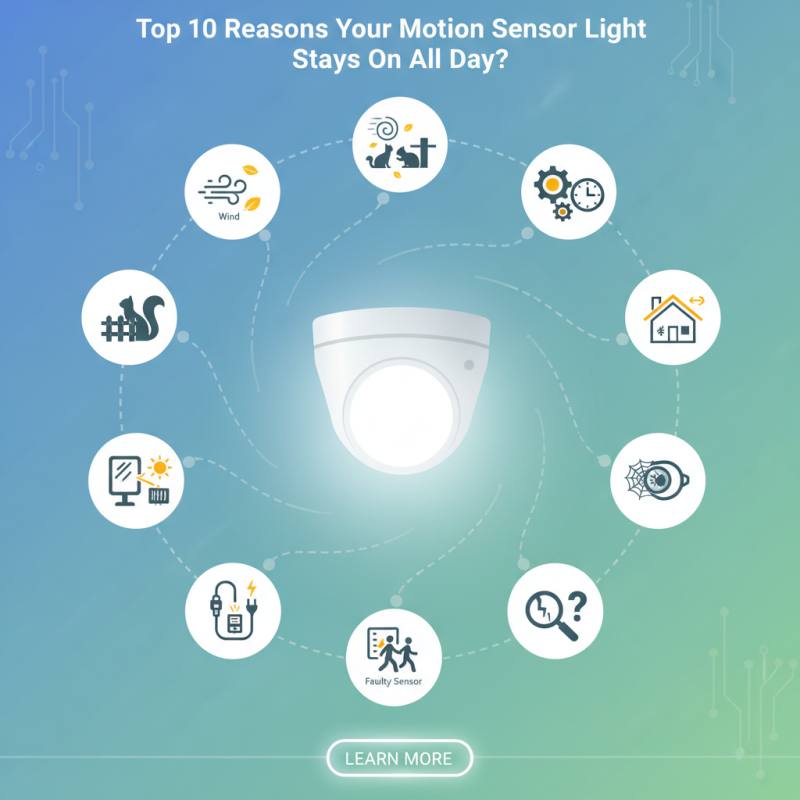
Motion sensor lights are designed for efficiency. However, they can often remain on all day, triggered by environmental factors. According to a recent report, over 40% of homeowners experience this issue. Common culprits include fluctuations in temperature and light.
Wind can sway branches, activating the sensors unexpectedly. In fact, gusts above 10 mph can lead to false triggers. Additionally, low sunlight conditions confuse sensors. Many models are calibrated for bright daylight, causing them to misinterpret shadows. A study found that nearly 30% of invalid activations occur due to changing light conditions.
Another significant environmental trigger is animal movement. Small animals like squirrels and birds can unintentionally set off your lights. These creatures are often more active during dawn and dusk, times when motion sensors are most sensitive. Frequent triggers from wildlife can lead to shortened sensor life spans.
Homeowners should be aware of these factors. Adjustments might be necessary in sensor positioning or sensitivity settings. Tweaking these details can enhance the reliability of your motion sensor lights.
Sensitivity settings in motion sensor lights play a crucial role in their performance. Incorrectly configured sensitivity can cause lights to activate excessively or not at all. According to a report from the Illuminating Engineering Society, 30% of users report issues with their sensor settings leading to unwanted activation. This is often due to environmental factors like wind or nearby movement. These factors can trick the sensor into thinking there's motion when there's not, causing frustration for users.
The sensitivity wheel or dial on most motion sensors adjusts how easily the light detects movement. In some cases, settings are cranked too high. Home surveys indicate that over 60% of users do not properly calibrate these settings after installation. They overlook specific areas prone to triggering the sensor unnecessarily. For example, placing a light near trees or bushes can be problematic. A simple adjustment can resolve excessive activation during the day.
It’s also worth noting that the placement of the sensor is vital. According to a study by the Energy Research Institute, 25% of motion sensors are improperly mounted. This can lead to chronic performance issues, including lights that remain on all day. Users must reflect on both their settings and the sensor's location to ensure optimal function. Adjusting these variables can save energy and extend the lifespan of your lighting system.
One common issue homeowners face is motion sensor lights that remain activated all day. This problem can often be traced back to wiring issues. Proper wiring is essential for the effective functioning of these devices. A recent industry report indicated that nearly 30% of all lighting problems stem from incorrect installations or faulty wiring.
Improper connections can cause sensors to misinterpret their surroundings. For instance, exposed wires may trigger a false reading, activating the light continuously. Poorly insulated wiring is another culprit. It can lead to electrical shorts that keep the circuit closed, preventing the sensor from detecting motion correctly.
Moreover, if your motion sensor is wired incorrectly to the main power, its sensitivity could be compromised. This may result in unwanted activation. Research suggests that about 25% of surveyed homeowners report issues with their motion sensors, primarily linked to wiring. Understanding these potential pitfalls helps in troubleshooting and promoting better installation practices.
Improper placement of motion sensors can lead to frustrating issues, such as lights staying on all day. If the sensor is positioned too low, it may detect movement from pets or even passing vehicles. This frequent triggering will cause the lights to activate and remain illuminated longer than intended.
Additionally, the detection range is crucial. Some motion sensors have a limited range and may pick up nearby activity, even when you don’t want them to. It's vital to consider the surroundings. Trees, shrubs, or even fence posts can interfere with the sensor's accuracy. Sometimes, users neglect to test these devices and end up with constant illumination.
Finding the right angle is essential as well. A sensor facing a wall may overlook necessary areas while detecting irrelevant movement. Experiment with different placements. Observe how the sensor reacts during various times of the day. Adjusting the positioning can significantly improve functionality and reduce unwanted light activation.
Motion sensor lights are designed to enhance security and convenience. Yet, an unexpected issue arises when they stay on all day. One major reason for this could be interference from other light sources. Bright outdoor lights, streetlights, or even reflective surfaces can confuse these sensors. When the sensor detects light in its range, it may mistakenly think it’s still dark outside.
Consider the placement of your motion sensor light. If it’s too close to strong light sources, the sensor may struggle to function properly. Adjusting the angle or relocating the sensor can resolve this issue. It’s crucial to remember that motion sensors vary in sensitivity. Some may react strongly to ambient light, while others are less affected. Testing your sensor's reaction in different lighting conditions can help you find a balance.
Identifying the cause of the problem requires careful observation. Keep an eye on the outside environment as well. Shadows cast by trees or passing vehicles may trigger the sensor. This not only leads to inconvenience but also drains energy. Experimentation is key here. You may need to try a few different setups. Taking the time to find the right configuration will ultimately lead to a more reliable and efficient motion sensor light setup.
| Reason | Description | Possible Solutions |
|---|---|---|
| Strong Ambient Light | Nearby light sources can confuse the sensors, keeping them activated. | Adjust sensor sensitivity settings or reposition lights. |
| Faulty Sensor | Sensors may fail, causing them to misinterpret signals. | Test and replace the sensor if necessary. |
| Obstructions | Objects blocking the sensor can cause non-stop activation. | Clear any obstructions in the sensor's range. |
| Temperature Fluctuations | Extreme temperatures can affect sensor performance. | Consider relocating to a more temperate zone. |
| Wiring Issues | Poor connections may lead to continuous power. | Inspect wiring for damage or loose connections. |
| Wrong Installation | Improper installation can cause malfunction. | Reinstall following the manufacturer's guidelines. |
| Sensitivity Settings | Too high sensitivity can cause false activations. | Adjust the sensitivity settings downwards. |
| Sensor Type | Different sensor technologies behave differently. | Choose an appropriate sensor type for the environment. |
| Electrical Interference | Nearby electronic devices could interfere with sensors. | Rearrange electronic devices away from the sensor. |
| Age of Device | Aging sensors may lose functionality over time. | Consider replacing old sensors with new models. |
: Environmental factors can cause this. Fluctuations in temperature and light often trigger false activations.
Wind can sway branches, triggering sensors. Gusts above 10 mph are particularly troublesome.
Yes, small animals like squirrels and birds are common culprits. They often trigger lights at dawn and dusk.
Avoid placing it near bright lights or reflective surfaces. This can confuse the sensors.
Tweaking the sensor's angle or sensitivity settings can help. Experimentation may be necessary.
Bright outdoor lights or streetlights can confuse sensors. They may believe it’s still dark outside.
Observe the outside environment for potential triggers. Adjustments in positioning can enhance performance.
Yes, shadows from trees or vehicles can mistakenly activate sensors, causing unnecessary energy drain.
Repeated false triggers from animals or environmental changes can shorten sensor lifespan. Adjust sensitivity accordingly.
Test it under different lighting conditions. Find the right balance to ensure reliable performance.
If you're wondering, "Why is my motion sensor light staying on all day?" there are several potential reasons to consider. Common environmental triggers, such as wind or passing animals, can inadvertently activate the sensor. Additionally, faulty sensitivity settings may lead to the light being too responsive, resulting in constant illumination.
Wiring issues can also be a culprit, causing continuous activation of the light. Moreover, incorrect placement of the motion sensor can limit its detection range and functionality. Lastly, interference from other light sources may disrupt the sensor's operation, leading to unintentional energy consumption. Addressing these factors can help restore proper function to your motion sensor light.
LuxPower Light